 Sidecart
Invite your partner, or join their list
A shared list shows the same items on every phone that joined it. Anyone on the list can add, tick off and remove items, and everyone sees the change within a second or two.
Invite someone to your list
- Open the list you want to share.
- Tap Invite your partner. If the list is already shared, open the menu at the top right and tap Invite to List.
- Tap Share and send the invite in any chat. It contains a link and a 6-character code.
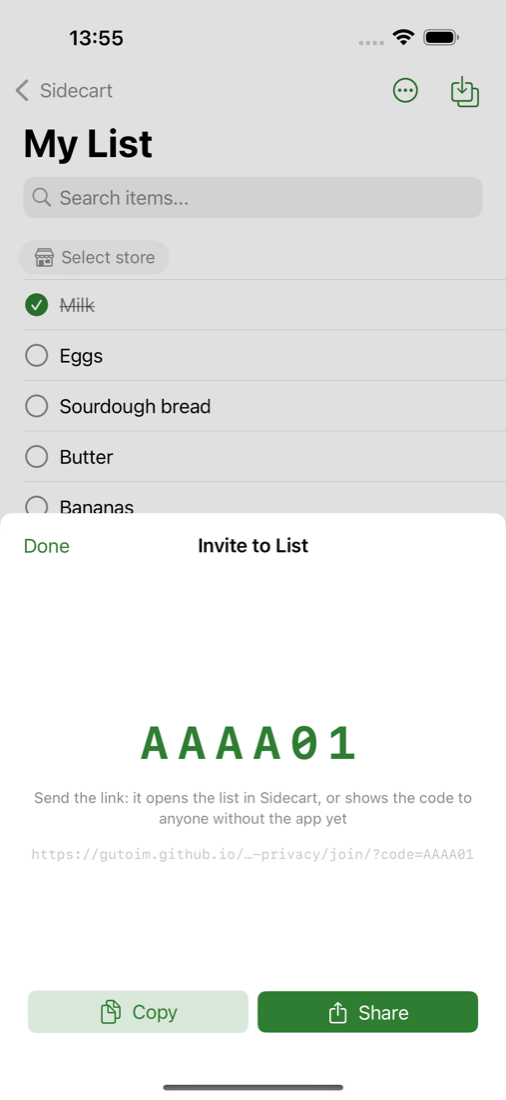
Each code works once. To invite a second person, make a new code the same way.
Join a list someone shared with you
The quickest way is to tap the link in the message. It opens Sidecart and adds the list.
If you have the code instead:
- You just installed Sidecart: on the first screen, tap Have an invite code? and type the code.
- You already use Sidecart: on the screen with your lists, tap the person icon at the top, type the code and tap Join.
Joining is free and doesn't need an account. A list you joined doesn't count towards the one free list of your own.
Notifications
Once a list is shared, Sidecart asks whether it may send notifications. If you allow them, you hear when your partner adds items, starts ticking things off, or joins. Your partner gets the same about your changes.
Both of you need Sidecart 1.3.0 or later for notifications to arrive in both directions. If only one phone gets them, update the app on the other.
If the code doesn't work
- Codes use letters and digits, but never I, L, O, 0 or 1, so there is nothing to mix up. Check for a typo first.
- A code that was already used won't work again. Ask for a new one.
- Both phones need an internet connection at the moment of joining.
Leave a shared list
Open the list's menu and tap Leave List. The list stays with everyone else. To come back you need a new invite code.