 Sidecart
Let the list learn your store
Sidecart can put your list in the order you pick things up, so you walk the shop once instead of doubling back. It learns this from how you shop; you don't set up aisles.
Turn it on
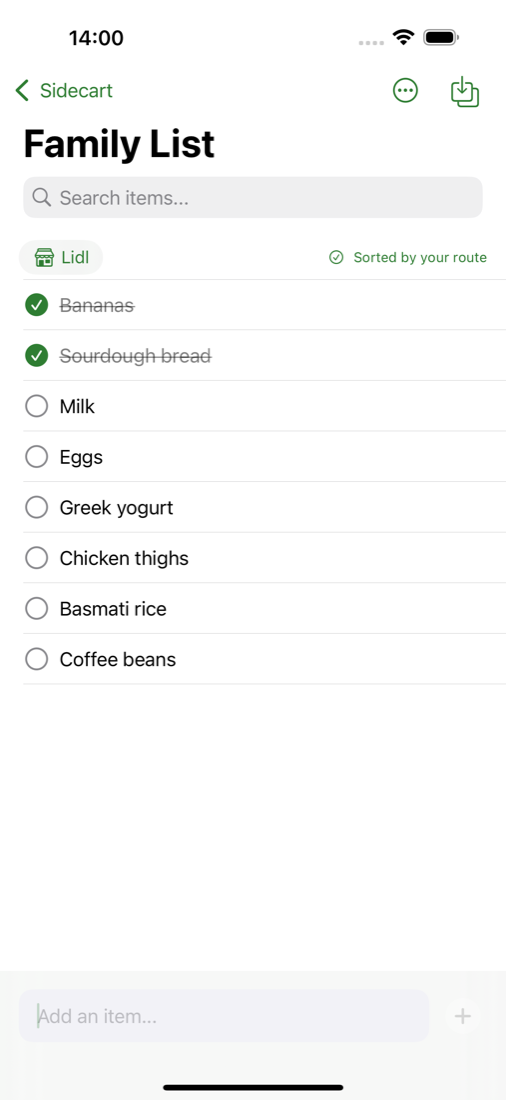
- Open your list and tap Select store under the search field.
- Choose a store, or type a name in Add a store. The name is only a label for you.
- Shop as usual and tick items off as you put them in the trolley.
How it learns
Every time you tick items off with a store selected, Sidecart notes the order. Items you usually pick up early move towards the top of the list, and items from the far end of the shop move down.
When it has seen enough, the store shows Sorted by your route and the list is ordered for you.
How long it takes
Longer than a couple of trips. Sidecart needs to see an item bought several times before it trusts where that item belongs, so expect the order to settle over weeks of regular shopping. Things you buy every week are placed first.
More than one store
Each store learns its own route. Select the store you are in before you start ticking items off, and the list uses that store's order.
What Sidecart learns about your route stays on your iPhone. It isn't uploaded or shared with the people on your list.